
How to choose the Nomini login method based on your available data
Start with the method assigned to the existing account. The choice between the email address, username, and PlayID depends on what you can verify at this time.
| The data you have | First step |
|---|---|
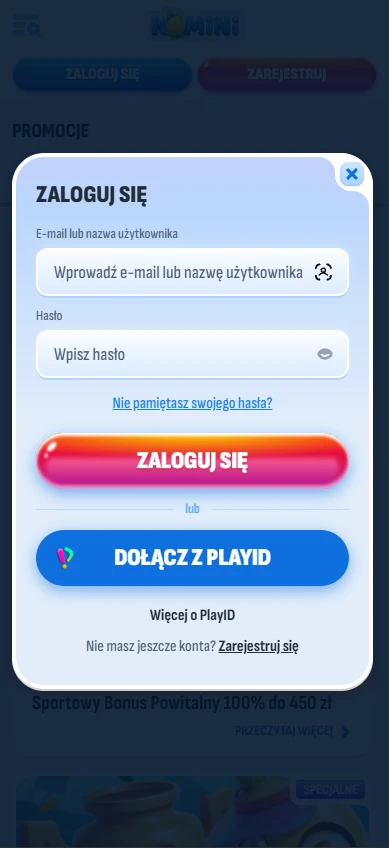
| Email or username and password | Enter the identifier and password in the current operator login window. If the browser substitutes data from another account, enter it manually. |
| Access to email, no password | Use the password recovery option and provide the same email address that was associated with the profile. |
| PlayID previously linked to account | Launch login via PlayID and confirm the same identity. Once back, check the Nomini username. |
| The password doesn't work and there is no access to email | Contact Nomini support to identify an existing account and update your details. |
 Open full image
What to check when the login window opens again
The data message directs to verification of the identifier and password. Returning to an empty window after confirming the data indicates that it is worth checking the session. If you are logging in via PlayID, start with the card from which the request was sent.
Account identifier, saved password and session
Read the message before the next attempt. If it concerns data, check for typos, auto-complete, and the address linked to the old account. When you return to a blank window after accepting the data, close any additional tabs and try in the current browser, in one regular tab. If the error occurs only in that browser, log out of the saved session or clear the data for this site before logging in again.
Return from PlayID to the existing profile
Start with the PlayID button in the Nomini Casino window. After confirmation, return to the same card. When you see an unexpected profile, stop the operations and note the time and the visible username. Ask support to check the association. On your phone, checking the stage at which PlayID has stopped will be helpful.
Resetting your Nomini password with access to the associated email
- Under the password field, select Don't remember your password? and enter the email from an existing account.
- Check Received and Spam. If the link has expired or has already been used, repeat the request. For multiple messages, use the most recent one.
- Set a new password, return to the Nomini window, and check login on the same card. In the password manager, replace the old entry.
If the message does not arrive, pass on the help request reset time and profile name. Ask whether the mailbox used is correct or whether another access route needs to be taken. Neither a code nor a reset link is needed in such a report.
Recovering a Nomini Casino account without an associated email
If the mailbox can still be recovered from the mail provider, start there. If not, contact support@nomini.com. Provide a known identifier and previous address, inform them of the loss of access, and request a secure email change procedure. Support may direct you to Nomini account verification.
How to identify an account restriction from a Nomini message
Save the message content. Resetting your password is the correct course of action if you have a password issue. Restricting your profile requires identifying the cause or taking the step described in the message.
| Situation | What to do |
|---|---|
| Invalid data | Manually enter a known email address or username. If the password still doesn't work, go to password reset. |
| Account blocked or verification required | Provide the support team with a message and case number. If you have received a document request, compile the specified files according to the type of verification. |
| Active self-exclusion | Read the scope of the restriction from the application confirmation. If the message is missing, ask support to confirm the status. |
| Regional restriction | Relates to the access point for the service. Information for Poland is in the section on Nomini status. |
What to tell support so that they locate the Nomini profile
Via chat or to support@nomini.com, provide the username or previous email, date of last login, method and message from the window. Attach the number of an existing case. Before sending a screenshot, blur the password, access code and payment details. The Help Centre states that chat and email are available 24/7.
Subject: Recovering access to Nomini profile
Profile [name or previous email]. Last attempt [date, time] via [password or PlayID]. Message: [content]. Please specify the procedure for an existing account. Case number: [if assigned].
What to update after regaining access to Nomini Casino
After regaining access to Nomini Casino, check the profile name, the functionality of the linked email, and the latest transaction. You will change your password from the profile. For changing your phone number or email address, assistance is directed to support. After updating, check the re-login. If you lose your device, ask Nomini support to check active sessions and whether they can be ended.